If your laptop suddenly feels laggy, takes forever to open apps, or freezes between simple tasks, the cause is usually one of a small number of Windows performance problems. This guide helps you work through them in a useful order instead of trying random fixes.
Quick answer
What usually causes a slow Windows laptop
Quick answer
A slow laptop is most often caused by too many startup apps, low free storage, 100% disk usage, high memory usage, overheating, updates still running in the background, too many browser tabs, or an older HDD that cannot keep up with Windows 11.
Symptoms
Symptoms of a slow laptop
Windows takes a long time to start
Apps freeze or stop responding when switching tasks
Typing, clicking, or opening folders feels delayed
The fan gets loud while the laptop feels sluggish
Browser tabs make the system stutter
Task Manager often shows high disk or memory use
Common causes
Common causes of slow laptop performance
Startup apps can make the laptop feel slow from the first minute after sign-in. Low storage can make Windows updates, temp files, and app installs less reliable. A system stuck at 100% disk usage often feels frozen even when CPU use is low. High memory usage can make everything lag once Windows starts swapping data to disk.
Overheating can throttle performance. Windows updates can temporarily slow the system while indexing or cleanup runs. Too many browser tabs can quietly eat memory. And if your laptop still uses an older HDD, Windows 11 can feel slow even when nothing is technically broken.
Browser load
Too many browser tabs can make a laptop feel worse than it is
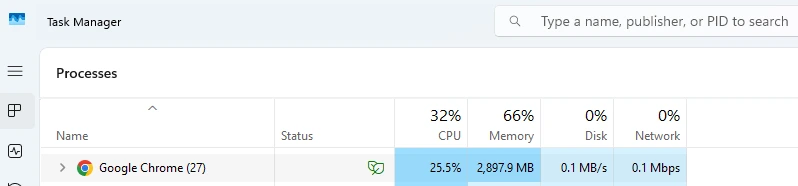
A browser with dozens of tabs, active extensions, streaming pages, and background syncing can make a Windows laptop running slow look like a hardware failure. It is worth checking your browser load before assuming the whole system is damaged.
Heavy browser tabs and background activity can make a laptop suddenly feel much slower.
Troubleshooting flow
Step-by-step troubleshooting flow
Restart first. This clears stuck update states, temporary memory pressure, and runaway apps.
Check the main bottleneck. Use the Slow Laptop Fix tool for a quick diagnosis, then look closer at disk, memory, or heat if one area stands out.
Look for storage pressure. If space is low, run the Disk Cleanup Windows guide and check whether storage is affecting speed.
Think about drivers only when the symptoms fit. If slowdown started after a graphics change, device warning icon, or weird update behavior, use the How To Update Drivers Windows 11 guide instead of grabbing random update tools.
Consider file repair only when Windows itself looks damaged. If crashes or failed updates left Windows behaving strangely in several places at once, the Repair Corrupted System Files in Windows guide may help.
Power mode
Check power mode before you assume hardware failure
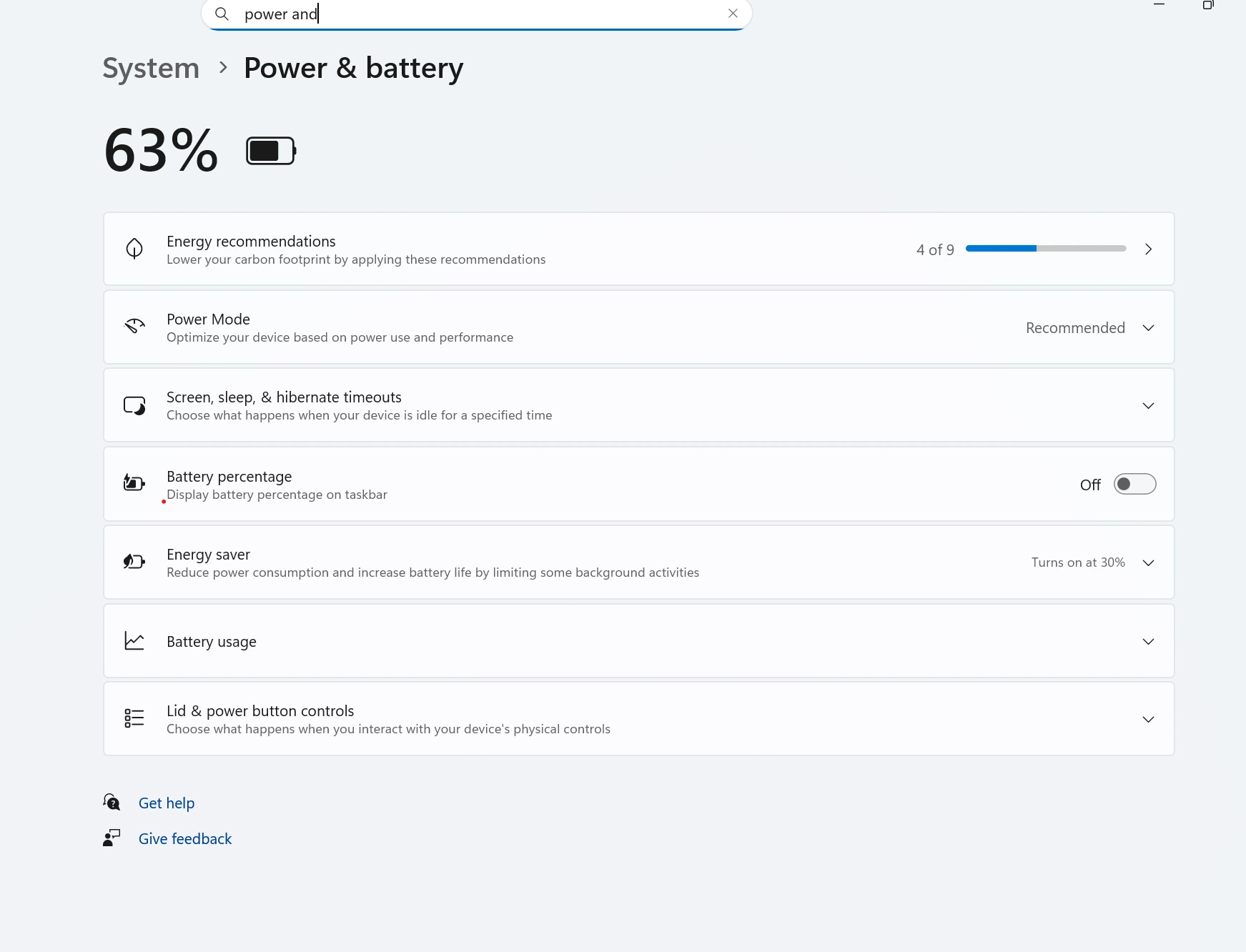
Some laptops feel slower simply because they are set to a more conservative power mode, especially on battery. That will not explain every performance problem, but it can make an already borderline laptop feel much worse.
Power mode settings can affect how responsive a Windows laptop feels during everyday use.
Avoid mistakes
Common mistakes
Disabling random Windows services without knowing what they do
Ignoring a nearly full drive because the laptop still turns on
Assuming a slow browser means the whole laptop needs replacing
Skipping heat checks when the fan is loud or the case is hot
Blaming updates immediately when the real problem is an older HDD
Upgrade decision
When to upgrade RAM or SSD
When RAM helps
Upgrade RAM when multitasking is the main problem, memory stays high, and the laptop slows down with normal apps and browser tabs open.
When SSD helps
Upgrade to an SSD when the laptop still uses an HDD, startup is painfully slow, or app launches and file searches take too long even after cleanup.
If you want a broader checklist after you identify the likely bottleneck, the How to Speed Up Windows 11 guide pulls the safest fixes together in one place.
A laptop can suddenly feel slow because of Windows updates, too many startup apps, storage getting full, high memory use, overheating, or background syncing. The fastest way to narrow it down is to check disk, memory, and heat together instead of guessing.
Can too many browser tabs slow down a laptop?
Yes. A large number of tabs can use a lot of memory, keep the browser busy in the background, and make the whole laptop feel laggy.
Does low storage make Windows 11 slow?
Yes. Low free space can slow updates, app installs, temporary file handling, and general Windows responsiveness, especially on older drives.
When should I upgrade RAM or SSD?
Upgrade RAM when memory use stays high during normal multitasking. Upgrade to an SSD when the laptop still uses an HDD or when disk usage and app launch times stay painfully slow.
Can overheating make a laptop run slow?
Yes. When a laptop gets too hot, Windows may reduce performance to protect the CPU and other parts. That can feel like random lag, stutter, or slow app loading.
Why is my computer so slow even after restart?
If a restart does not help, the cause is often something persistent like high disk usage, low storage, a slow HDD, too little RAM, or Windows still working through updates in the background.